ChatGPT, Claude and Gemini in One AI Group Chat
Ask once. The AIs read each other's responses, challenge ideas and build on the same discussion.
How many times have you had to fact-check an AI answer?
Or cross-check it with another AI to be sure?
Compare AI models without copying prompts between tabs. Plurilog puts Gemini, Claude and ChatGPT in the same discussion, where they can respond to each other.
You're in Full Control of Your AI Panel
Choose exactly which AI models take part in every discussion. Turn ChatGPT, Claude or Gemini on or off at any time, change the order they respond in, and focus the conversation on the model you want—without starting over.
Start with all three models for multiple perspectives, then narrow the panel when you want a more focused exchange. You decide which models respond and the order they join the conversation.
Everything stays in one ongoing discussion, so you do not have to copy prompts between separate AI chats just because you want a different model to respond next.
- Turn individual AI models on or off
- Reorder ChatGPT, Claude and Gemini
- Keep the conversation in one shared discussion
More than a multi-AI chat
What Can You Do With Plurilog?
Work with ChatGPT, Claude and Gemini in one shared conversation, then move from answers to actual work: analyse files, images and videos, create and edit documents, generate visuals, and research without breaking the thread.
Multi-model
Multiple AI Models in One Conversation
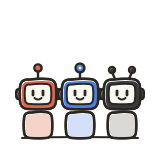
Ask once and let multiple leading AI models respond to you and to each other. They share the discussion context, so one model can challenge, refine or build on what another has already said.
See how the AI panel works →Documents
Create Word Documents and PDFs
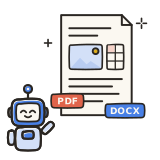
Turn a conversation into a polished downloadable DOCX or PDF with structured text, tables, layouts and images.
Explore AI document creation →Editing
Edit Existing Documents
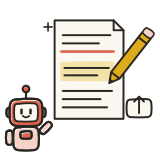
Upload a Word document or PDF, ask for changes in plain English, and keep refining the result without starting from scratch.
Explore AI document editing →Images

Generate and Edit Images
Create new images or edit existing ones inside the discussion. Preview and download SVG artwork, then let the other AIs inspect the visual and continue working from it.
See the image workflow →Analysis
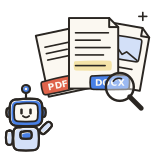
Analyse Files, Images and Videos
Work with documents and images, upload a video or paste a YouTube link. Use Gemini-powered video analysis to summarise scenes, transcribe speech and turn the findings into notes or new drafts.
PDF · DOCX · images · video · YouTube
Research
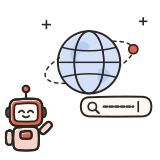
Research and Build on Shared Context
Search the web when needed, revisit earlier material, compare perspectives and keep the work moving inside one ongoing discussion.
Simple pricing
Try Plurilog for free, then upgrade when you're ready.

Free
$0 / monthTry Plurilog with one-time starter usage.
- ChatGPT, Claude and Gemini together
- Shared conversation context
- Files and images
- Full panel controls
- One-time included usage
- No card required



Plus
PopularFor your first 3 months, then $19/month.
- Everything in Free
- Monthly usage refreshed every billing cycle
- ChatGPT, Claude and Gemini available
- Shared memory, files and retrieval
- Cancel anytime
Frequently Asked Questions
Everything you need to know about using Plurilog.
No. You do not need individual paid subscriptions to ChatGPT, Claude or Gemini to use them through Plurilog.
One Plurilog subscription gives you access to models from OpenAI, Anthropic and Google inside the same platform, subject to your Plurilog plan limits. You do not need to maintain three separate AI subscriptions just to use multiple leading AI models together.
Yes. That is the core of Plurilog.
Instead of opening separate AI apps, copying the same prompt into each one and manually comparing the answers, Plurilog brings all three AIs into one shared discussion.
They do not only respond to your prompt. They can also interact with one another by seeing and responding to what the other AIs have already said, allowing the discussion to develop across multiple perspectives.
Yes. When multiple AIs participate in a discussion, later models can see the answers that came before them.
This means an AI can tell you whether it agrees with another AI, point out something the other AI may have missed, identify a possible error, or explain why it reaches a different conclusion.
It is similar to asking one AI a question, taking its answer to another AI and saying, "The other AI said this about the topic. What do you think?" Plurilog handles that exchange automatically inside the same ongoing conversation.
Yes. Plurilog uses official API-accessible AI models from OpenAI, Google and Anthropic. They are not Plurilog-built imitations presented under those names.
Plurilog provides the system around the models: the shared discussion, model orchestration, persistent context, document retrieval and interface that allow multiple AIs to work together in one conversation.
Plurilog uses current high-quality large language models (LLMs) from OpenAI, Anthropic and Google.
The exact model versions can evolve as newer and more capable models become available rather than permanently locking Plurilog to one generation of AI.
Plurilog also uses intelligent model routing and fallback models to help keep discussions running when a particular model is temporarily unavailable.
Yes. You control your AI panel.
You can turn individual AIs on or off and choose the order in which they respond. You might start with all three to get several perspectives, then narrow the panel to one or two when you want a more focused exchange.
You can change the panel without abandoning the existing conversation or starting over.
Yes. You can work with documents, images, text files and uploaded videos, or paste a public YouTube link into your discussion.
You can work with PDFs, Word documents, images and common text-based files inside a discussion. Plurilog preserves the source files and creates searchable representations that help the AI models retrieve relevant information when it is needed.
Ask questions about a PDF, analyse an image or use Gemini-powered video analysis to summarise scenes and speech. Video findings can feed the shared discussion; a fresh inspection of an earlier video upload may require uploading it again.
Yes. Plurilog can create downloadable Word documents and PDFs from a discussion, and it supports revision workflows for existing Word documents and PDFs.
You can develop the content with the AI panel, ask for a file, then continue with follow-up changes without moving the work into a separate chat. PDF editing can be more constrained than Word editing when exact fonts or complex fixed layouts need to be preserved.
Plurilog does not currently offer live two-way voice conversations with the AI models.
It does, however, support microphone dictation. You can speak instead of typing, and Plurilog converts what you say into text before sending it into the discussion.
This gives you a faster way to prompt the AIs by voice while keeping the conversation itself in a readable text format.
No. Comparing AI models is useful, but Plurilog is designed around something broader: a multi-AI conversation where your AI panel shares one ongoing discussion.
The goal is not simply to place three answers side by side. The AIs participate in the same evolving conversation, share relevant context, and can respond to ideas introduced earlier in the discussion.
You stay in one conversation while controlling which models participate and when they respond.
No. Plurilog is an independent product and is not affiliated with, endorsed by, or operated by OpenAI, Anthropic or Google.
Plurilog accesses supported AI models through API services and combines them through its own conversation, model-routing, document and user-interface systems.
ChatGPT and OpenAI are associated with OpenAI, Claude with Anthropic, and Gemini with Google.
Not exactly.
Plurilog gives you access to AI models from OpenAI, Anthropic and Google through APIs, but Plurilog is its own product with its own features and interface. Features available only inside the providers' official applications may therefore be different or unavailable.
Plurilog is built specifically around the multi-model experience: shared discussions, model selection and ordering, persistent context, multimodal document and image workflows, and multiple AI perspectives in one place.
Your conversations are private to your account and removable at any time. Only the data needed to provide Plurilog’s features and AI responses is processed. AI requests are handled securely through model providers, and your conversations and prompts are never used for advertising.
No AI system can guarantee that every answer is correct.
Using multiple AI models can make it easier to uncover conflicting assumptions, missing information and reasoning errors that might go unnoticed when relying on a single model. Different AIs may approach the same question differently, giving you additional perspectives to consider.
However, agreement between multiple AIs is not the same as independent verification. For important factual decisions, reliable evidence and primary sources should still take priority over the models simply agreeing with one another.